The Jobs & Costing Overview
The Overview page is the landing page of Jobs & Costing. It answers three questions at a glance: how many jobs are running, how much cost went to jobs this month, and what needs your attention (jobs over budget, costs without a job, costs on jobs that are on hold or closed, and drafts that carry job coding). Every tile and line links to the page where you can act on it.
The page always looks at the current month: from the first day of this month to today. It has no date filter. For another period, use Job Costs and Cost Transfers or the Job Cost Reports.
Before You Begin
- Jobs & Costing is turned on for your company (see Jobs & Costing).
- You need at least View access to Jobs & Costing. Every role except a Custom role without Jobs & Costing access has it. See Roles and Permissions.
Navigation
Jobs & Costing → Overview, or click Jobs & Costing in the sidebar.
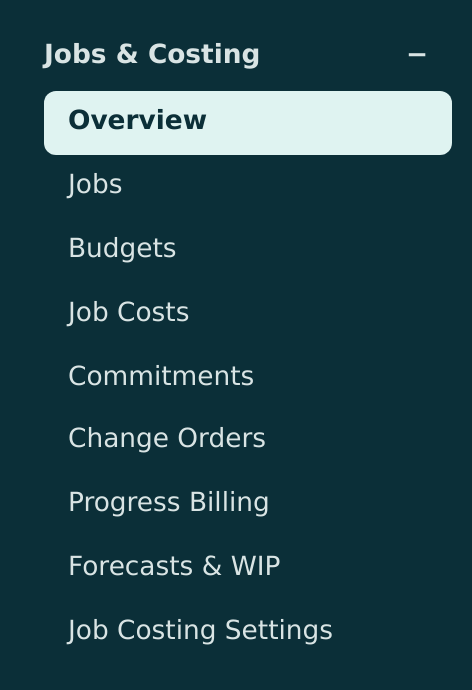
The Tiles

- Active Jobs: the number of jobs with the status Active. The line under it counts the jobs On Hold and in Draft; click it to open the Jobs list.
- Job Cost This Month: cost posted to jobs from the first of the month to today. View Job Costs opens Job Costs.
- Unassigned This Month: cost posted this month on job cost accounts without a job. When there are such lines, the link reads, for example, 3 lines need a job.
- Remaining Budget: the revised budget less the cost to date, added up over every active job (Across active jobs). Click it to open the Budgets list.
The sample company shows 0.00 cost this month because its history ends on September 30, 2026, and today is October 24, 2026.
Active jobs without a budget lower the Remaining Budget
Remaining Budget includes every active job, also jobs that have no approved budget. For such a job the remaining budget is 0.00 less its cost to date, so it lowers the total. In the sample company, J-2004 has 468,510.26 of budget left, but the seven active service jobs without budgets (J-1026 to J-1036) bring the tile to -71,161.20. Approve a budget for every job you want this tile to measure.
The Active Jobs Table
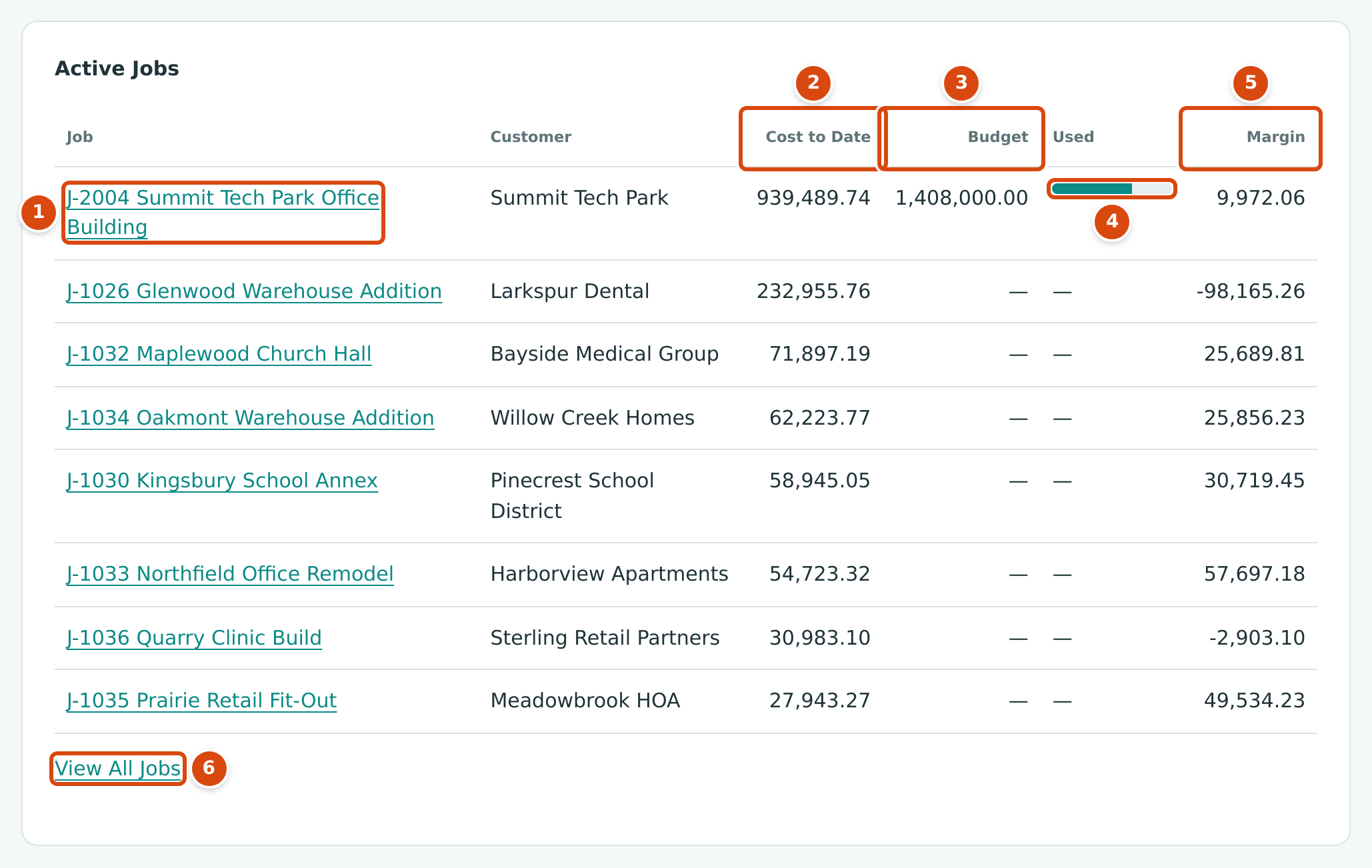
- Job: the job number and name. Click it to open the job.
- Cost to Date: all cost posted to the job from the first entry in your books through today.
- Budget: the job's revised budget. It shows a dash when the job has no approved original budget.
- Used: a bar for the cost to date as a share of the budget. It changes color from 85% used and again above 100%.
- Margin: revenue posted to the job less its cost, both to date.
- View All Jobs opens the Jobs list.
The table lists up to eight active jobs, the largest cost to date first. For J-2004 Summit Tech Park Office Building the figures read: cost to date 939,489.74 against a budget of 1,408,000.00 (66.7% used), and a margin of 9,972.06 (revenue of 949,461.80 less cost of 939,489.74). If there are no active jobs, the table says No active jobs.
Cost by Type and Needs Attention
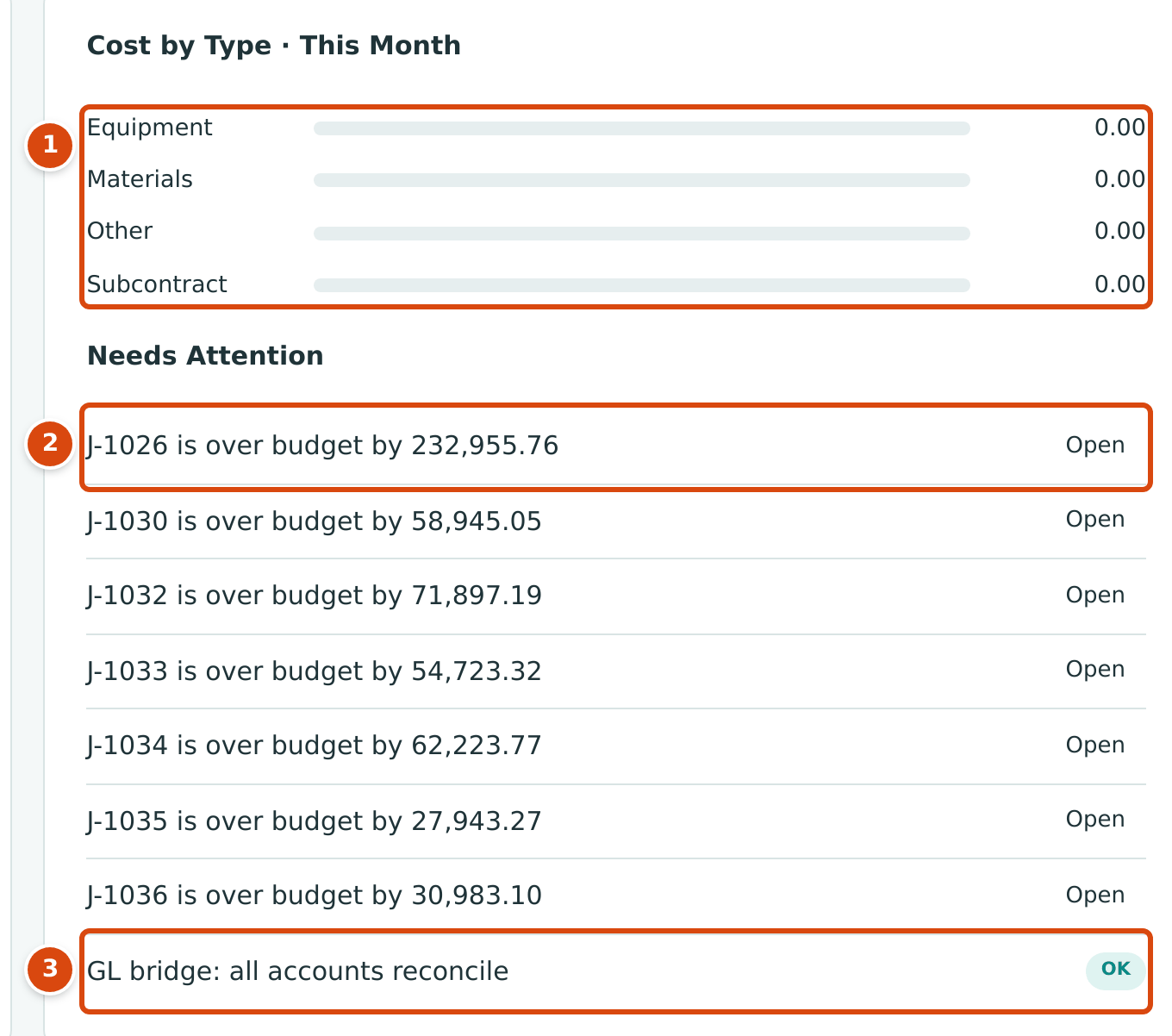
- Cost by Type · This Month: job cost this month by cost type, with a bar scaled to the largest type. Cost on a job line without a cost type shows as Unassigned. With no cost this month the card says No costs this month.
- A Needs Attention item with its Open or Review link.
- The GL bridge check, last in the list.
Needs Attention can show these items, in this order:
| Item | What It Means | Link |
|---|---|---|
| N cost lines without a job | Lines posted this month on job cost accounts without a job. | Review opens Job Costs. |
| J-1026 is over budget by 232,955.76 | An active job whose cost to date is more than its revised budget. Active jobs without a budget appear here too, by their full cost to date. | Open opens the job's budget page. |
| N lines coded to on-hold or closed jobs | Lines posted this month on jobs whose status is now On Hold or Closed. | Review opens Job Costs. |
| N draft documents carry job coding | Draft bills, vendor credits, invoices or credit memos with job coding. They do not count as job cost until they are posted. | Review opens Job Costs. |
| GL bridge: all accounts reconcile (OK) or GL bridge: N accounts need a check (Review) | For every job cost account, the amounts coded to jobs plus the amounts without a job must equal the account's movement in the general ledger this month. | Job Costs |
When there is nothing to report, the list says Nothing needs attention.
Common Questions and Troubleshooting
| Message or Symptom | Why It Happens | What to Do |
|---|---|---|
| Job Cost This Month shows 0.00 although jobs have costs | The tiles cover only the current month, from the first to today. | Open Job Costs and choose the period you need. |
| A service job without a budget is listed as over budget | Active jobs without an approved budget have a budget of 0.00. | Add and approve a budget for the job (see Job Budgets), or ignore the item. |
| Remaining Budget is negative | Active jobs without a budget subtract their whole cost to date. | See the warning above. |
| Unassigned This Month counts rent or office costs | Operating expense accounts are job cost accounts unless a Company Admin sets them to Excluded in Job Costing Settings. | Exclude the overhead accounts you never code to jobs. |
| Jobs & Costing is not turned on for this company. | The module is turned off for the company. | Ask Structally support; only platform staff can turn modules on. |