E: Managing Change Orders
In early August, Lakeview asks for a sixth exam room in the east wing. Cedar Ridge Training prices the extra work at $36,000.00. It will cost $27,000.00: $9,000.00 more drywall and $18,000.00 more electrical work, both from the existing subcontractors. Lakeview accepts the price by email on August 12.
In this exercise you:
- enter the change as a contract change order with its cost lines;
- submit and approve it, which updates the contract, the budget and the schedule of values in one step;
- amend the two subcontracts so the subcontractors can bill the extra work.
Before You Begin
- Exercise D is done: J-101 has an approved schedule of values.
- Approving a change order needs a Company Admin or Accountant (see Approval Steps).
Step 1: Enter the Change Order
- Go to Jobs & Costing → Change Orders and click New Change Order.
- Choose Kind Contract: the customer pays a different price.
- Enter Contract Amount 36000.00, choose Job J-101, and enter Customer Reference LMP Change Request 4, Date 08/12/2026, Title Add exam room 6 and a Reason.
- In Lines, enter the cost side of the change, clicking Add Line for the second line:
| Cost Code | Cost Type | Description | Amount |
|---|---|---|---|
| 09-100 Drywall | SUB Subcontract | Exam room 6 drywall | 9,000.00 |
| 26-100 Electrical | SUB Subcontract | Exam room 6 electrical | 18,000.00 |
| Total | 27,000.00 |
- Click Save Change Order.
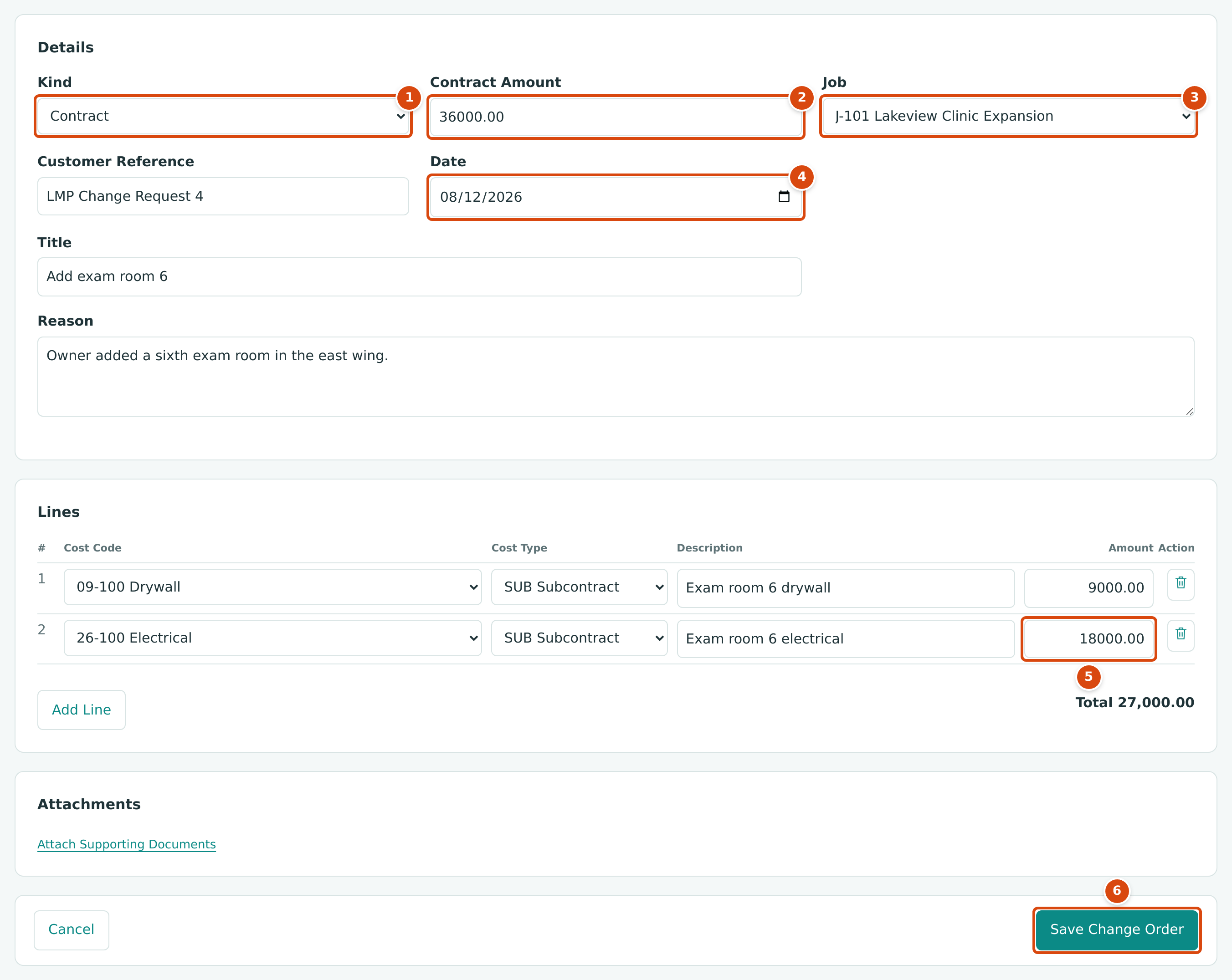
- Kind: Contract changes the price. Cost and Internal Transfer change only the budget.
- Contract Amount: the price change the customer agreed to.
- Job: the job being changed.
- Date: the date of the change, here the day the customer accepted it.
- Amount of each cost line: the change to the budget for that cost code and cost type.
- Save Change Order saves it as a draft.
The change order is saved as a Draft. In this exercise it was saved twice by mistake, as CO-1 and CO-2; Exercise G withdraws CO-1, so the rest of the project uses CO-2.
Step 2: Submit and Approve It
On the change order page:
-
Click Submit and confirm. The status becomes Submitted: the change is waiting for a decision.
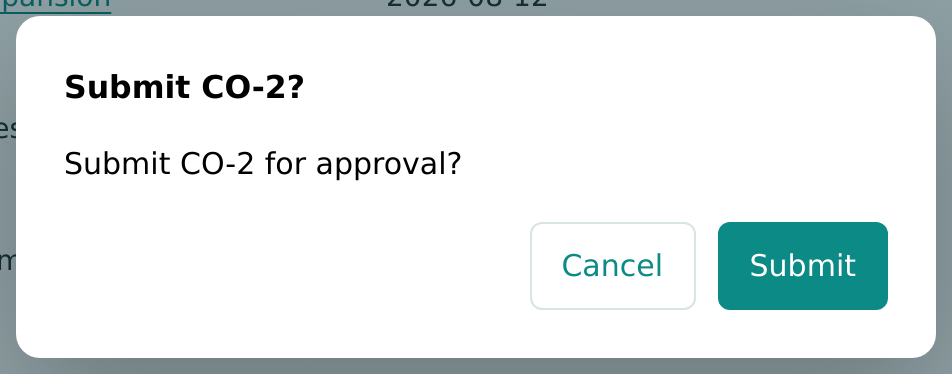
Figure 9-40 Submitting the change order for approval. -
Click Approve. The dialog tells you exactly what approval will do. Type a Decision Reason that records how the customer agreed, and click Approve.
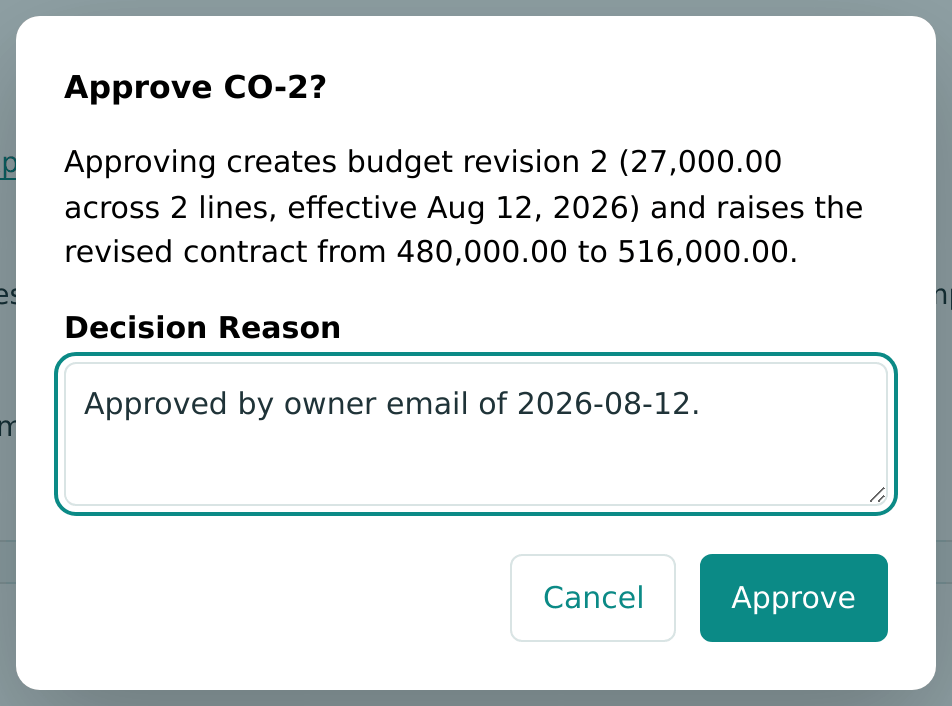
Figure 9-41 The approve dialog states the budget and contract effect.
The approved change order shows what it created:
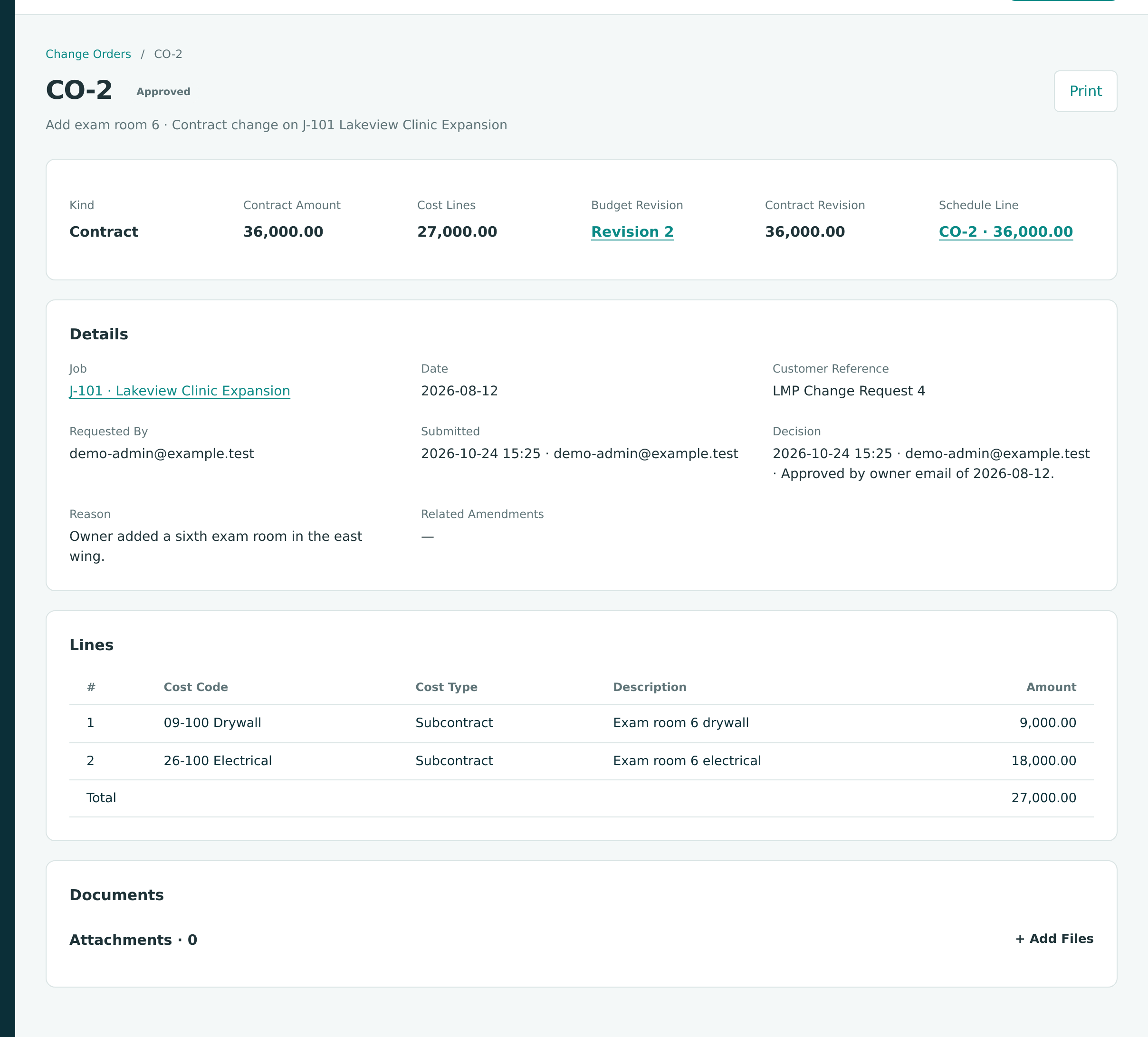
| What Changed | Before | After |
|---|---|---|
| Revised contract | 480,000.00 | 516,000.00 |
| Revised budget (budget revision 2 adds 27,000.00) | 360,000.00 | 387,000.00 |
| Schedule of values (new line CO-2 Add exam room 6) | 480,000.00 | 516,000.00 |
| Planned gross profit | 120,000.00 (25.0%) | 129,000.00 (25.0%) |
The schedule line is added automatically, so the extra work can be billed from pay application 2 onward without revising the schedule by hand.
No Journal Entry Yet
Approving a change order writes no journal entry. The extra revenue is recorded when it is billed on a pay application, and the extra cost when the subcontractors' bills are posted. Until then the change affects only the job's contract, budget and schedule.
See Change Orders.
Step 3: Amend the Subcontracts
The electrical and drywall subcontracts were issued for the original scope. Their lines are frozen, so the extra work is added with an amendment on each.
- Open SC-2026-000002 (Brightway Electric) and click New Amendment.
- Enter Date 08/14/2026 and Reason Exam room 6 electrical (CO-2), and choose Change Order CO-2 · Add exam room 6.
- On the line, choose cost code 26-100 and cost type SUB, and enter Amount 18000.00.
- Click Save Amendment.
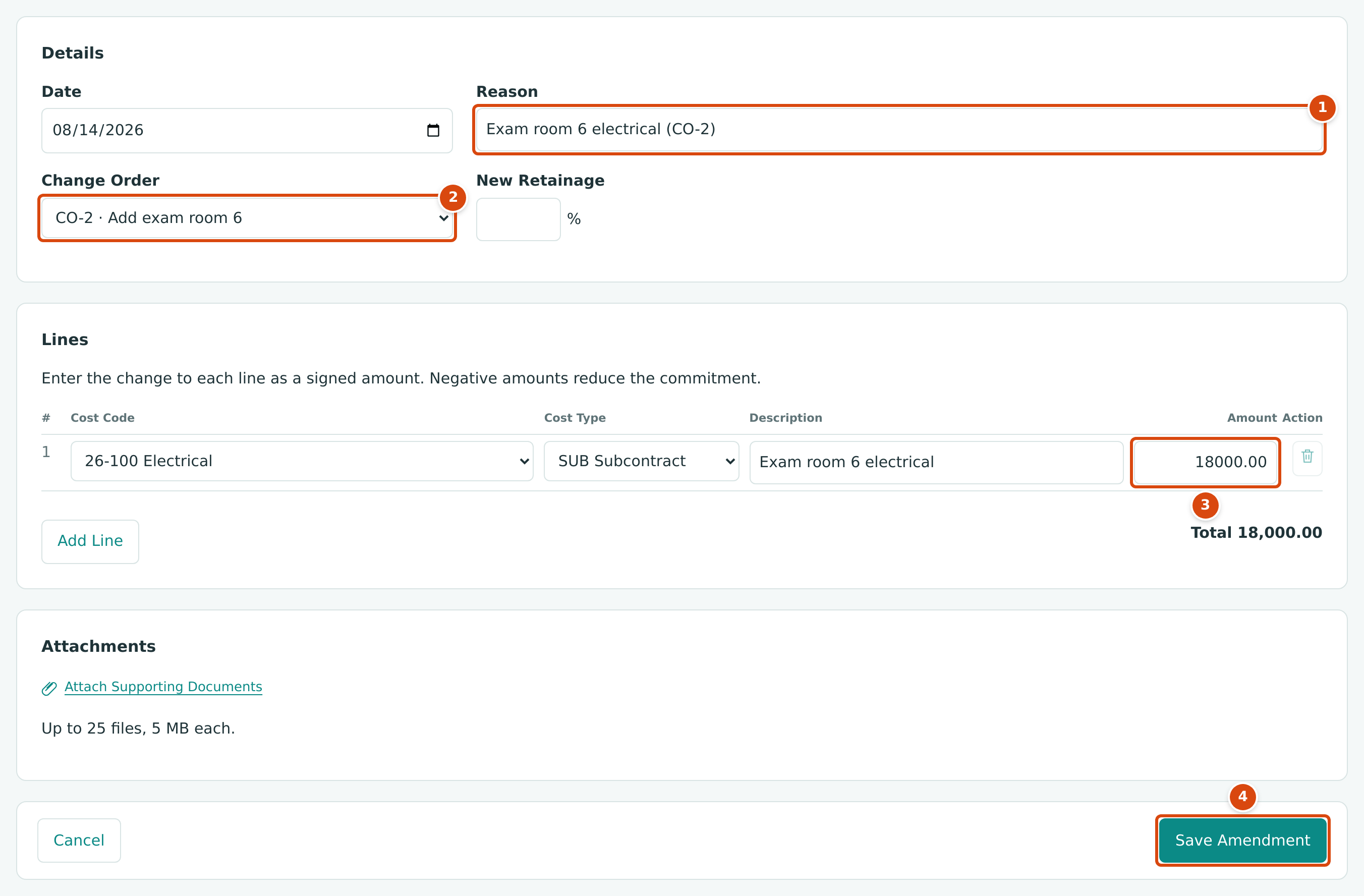
- Reason: why the commitment changes.
- Change Order: links the amendment to the customer's change.
- Amount: the signed change on the line, here an increase.
- Save Amendment saves it as a draft.
- In the Amendments card, click Approve on amendment 1.
- Repeat for SC-2026-000003 (Summit Drywall): Reason Exam room 6 drywall (CO-2), line 09-100 · SUB, Amount 9000.00.
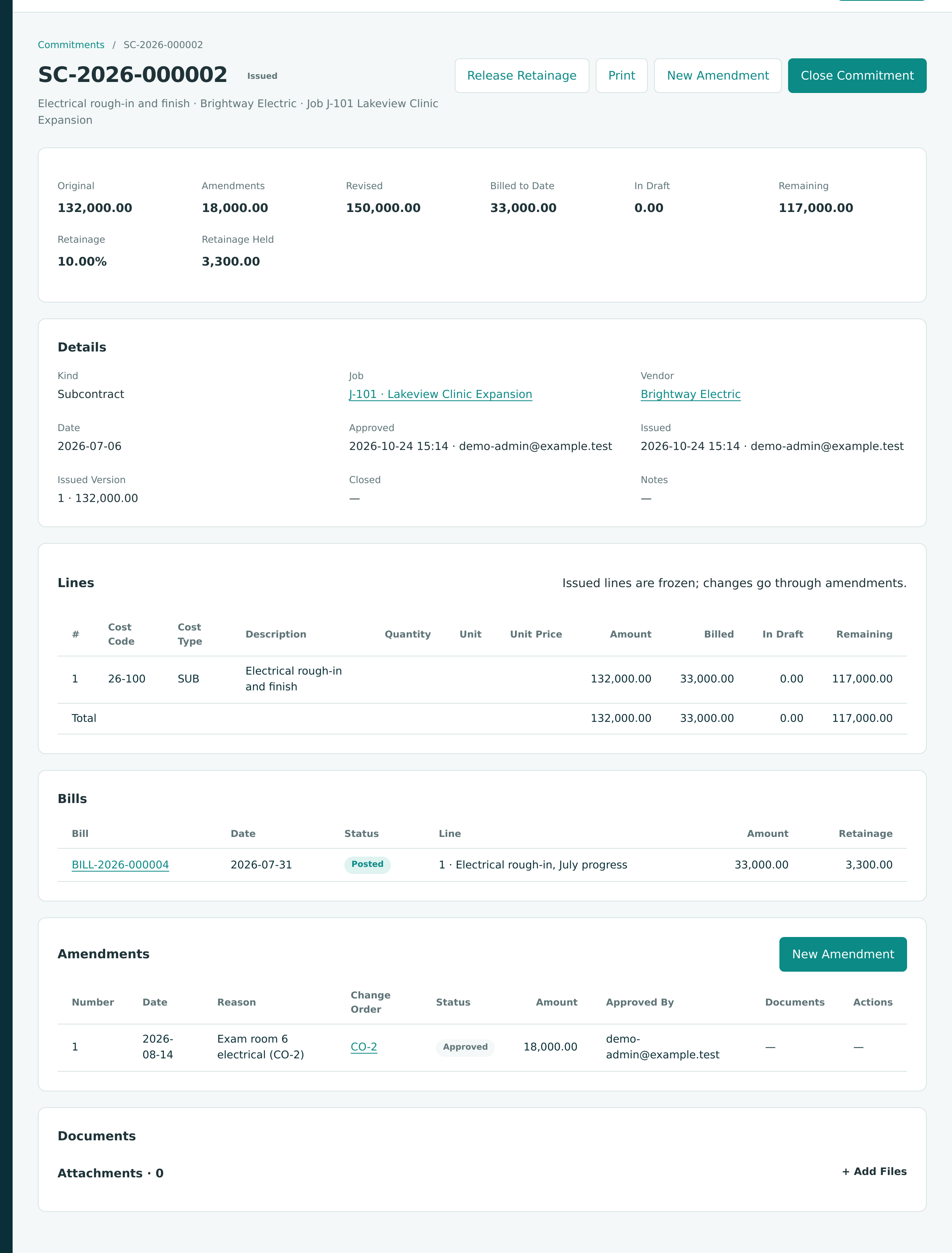
| Commitment | Original | Amendment | Revised |
|---|---|---|---|
| SC-2026-000002 Brightway Electric | 132,000.00 | +18,000.00 | 150,000.00 |
| SC-2026-000003 Summit Drywall | 96,000.00 | +9,000.00 | 105,000.00 |
The four commitments now total $363,000.00 against the revised budget of $387,000.00; the difference, $24,000.00, is the general conditions budget, which Cascade Site Services bills month by month without a commitment.
Check Your Work
| Check | Where | Expected |
|---|---|---|
| Change orders | Jobs & Costing → Change Orders, with the status filter showing all | CO-2 Approved 36,000.00; CO-1 Withdrawn |
| Contract | J-101 job page | Revised Contract 516,000.00 |
| Budget | J-101 Budget | Revised 387,000.00, with revision 2 approved |
| Schedule of values | J-101 Progress Billing | Six lines totaling 516,000.00 |
| Commitments | SC-2026-000002 and SC-2026-000003 | Revised 150,000.00 and 105,000.00 |
Next: F: Closing the Month.