Company Details
The Company & Invoice Details page holds the facts about your company that Structally prints on the documents you send and uses when it emails them: the legal name, address, phone, email and tax ID. It also holds two company-wide display choices: the Date Format used on screens and the Time Zone that decides what "today" is and how times are shown.
Fill it in before you send your first invoice, purchase order or change order, and update it whenever the company moves or changes its contact details. Printed documents always use the values saved at the moment they are printed, so a change also shows on older documents the next time you print them.
Before You Begin
- You must be a Company Admin. This page is not available to any other role, including Custom users with Settings access. See Roles and Permissions.
Navigation
Settings → Company Details, or the Company & Invoice Details card on the Settings overview.
The Page
The page opens in read mode: each value is listed under its label, with — where nothing has been entered. The sample company has entered none of the contact details yet, so its documents show only the company name.
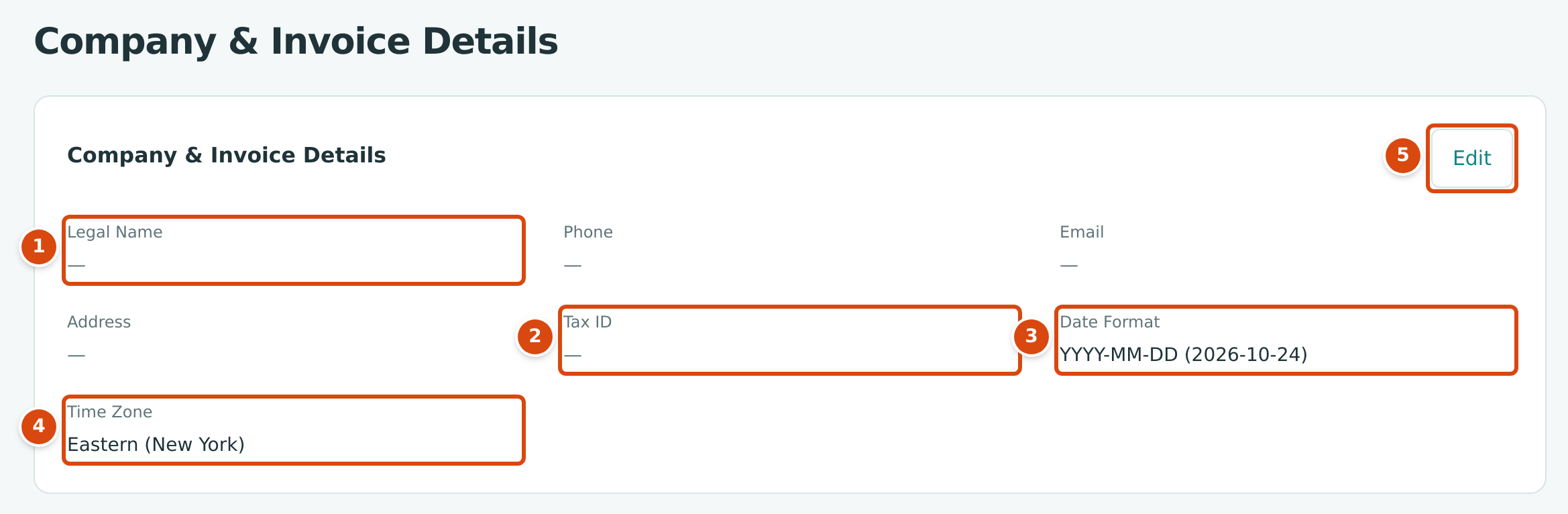
- Legal Name: empty here, so documents print the company name, Cedar Ridge Contracting, instead.
- Tax ID: printed on documents when Show Tax ID is on in Document Design.
- Date Format: how dates appear on screens. The choice shows today's date in that format.
- Time Zone: the company's time zone, Eastern (New York) unless changed.
- Edit turns the values into a form.
Step by Step
- Open Settings → Company Details and click Edit.
- Type the Legal Name exactly as it should appear on documents, for example with "LLC" or "Inc.".
- Enter the Phone, Email and Address. The address box takes several lines; each line prints on its own line.
- Enter the Tax ID if you want it printed on documents.
- Check Date Format and Time Zone.
- Click Save. If you changed the time zone, confirm it (see Changing the Time Zone). Click Cancel instead to leave without saving.
Structally confirms with Company details saved. and shows the page in read mode again.
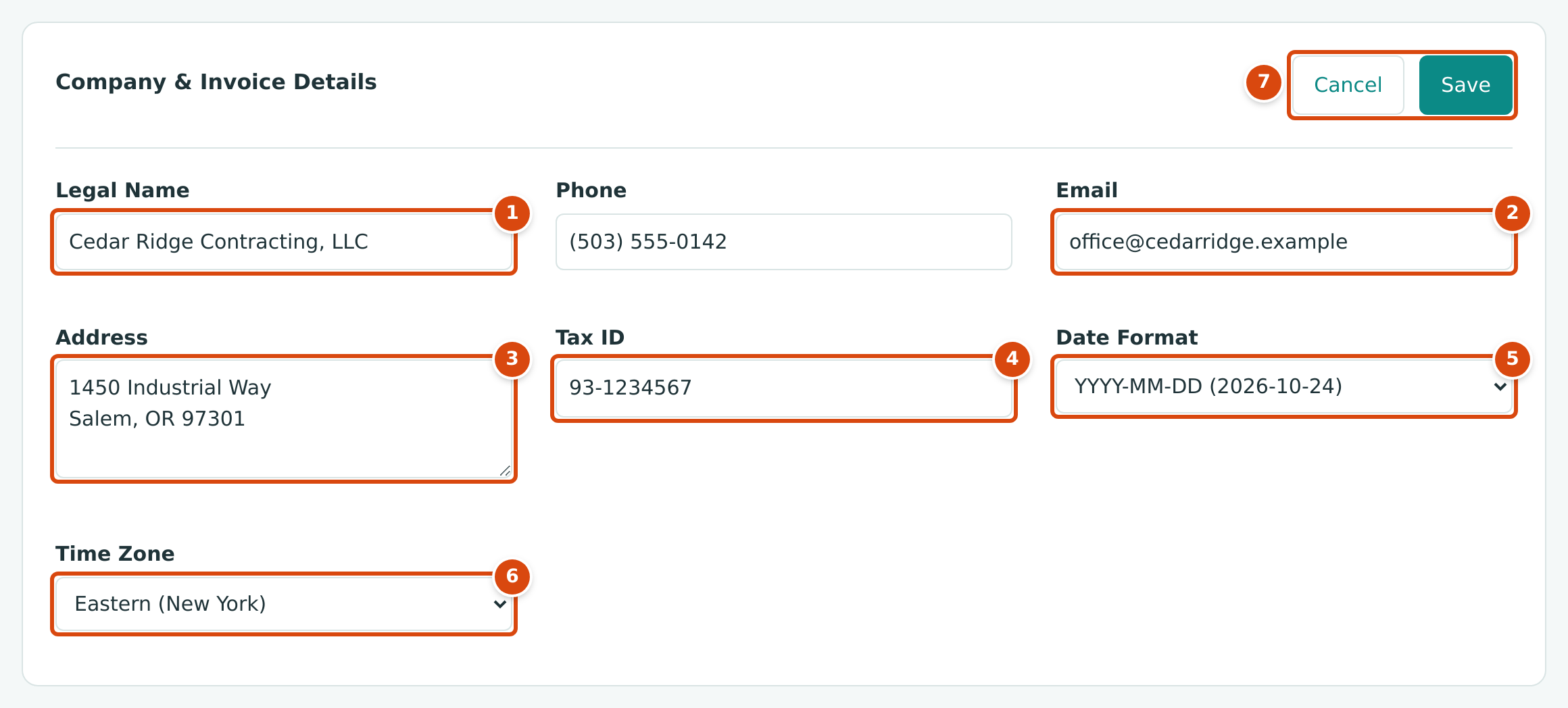
- Legal Name: up to 150 characters.
- Email: your company's general address. It receives the test email and replies to invoices sent through Structally.
- Address: up to 1,000 characters on several lines.
- Tax ID: up to 40 characters, printed as written.
- Date Format: three choices, each shown with today's date.
- Time Zone: a list of named zones.
- Cancel and Save.
Changing the Time Zone
When you save a different time zone, Structally asks first:
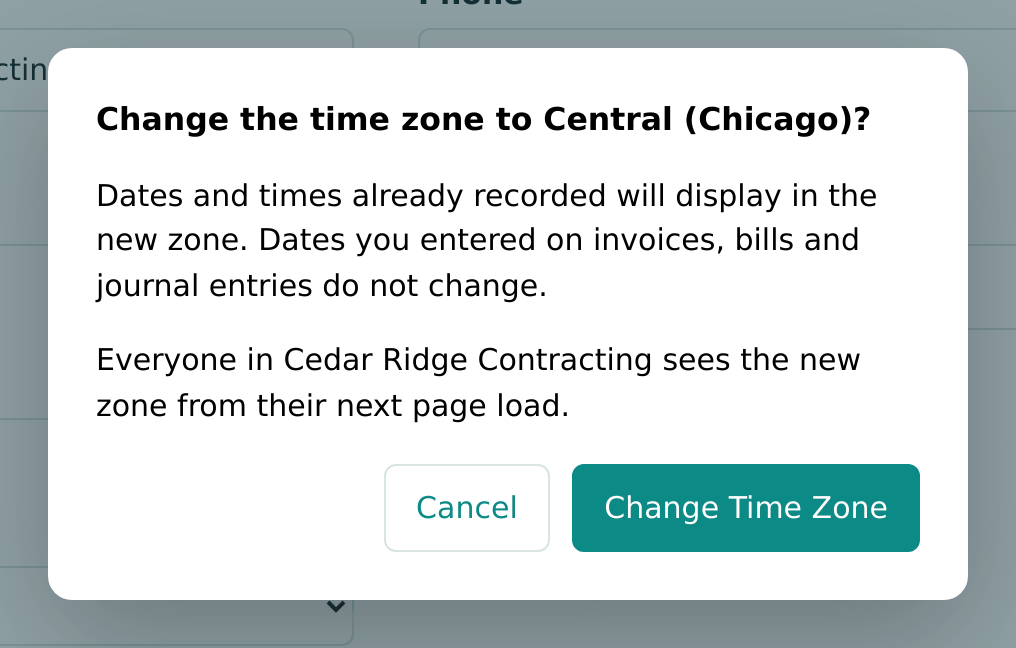
Click Change Time Zone to save, or Cancel to go back to the form. As the dialog says, Dates and times already recorded will display in the new zone. Dates you entered on invoices, bills and journal entries do not change. Everyone in the company sees the new zone from their next page load.
Field Reference
| Field | Description | Required | Example |
|---|---|---|---|
| Legal Name | The name printed at the top of every document and used as the sender name of emails sent through Structally. When empty, the company name is used. Up to 150 characters. | No | Cedar Ridge Contracting, LLC |
| Phone | Printed in the company block of documents. Up to 40 characters. | No | (503) 555-0142 |
| Printed in the company block; receives replies to invoices sent through Structally and the test email. Must be a valid email address. | No | office@cedarridge.example | |
| Address | Printed in the company block; also used as the Ship To of purchase orders when Ship To is Company Address, or when the job has no address. Up to 1,000 characters. | No | 1450 Industrial Way, Salem, OR 97301 |
| Tax ID | Printed as Tax ID: followed by the value, when Show Tax ID is on. Up to 40 characters. | No | 93-1234567 |
| Date Format | How dates appear on lists, record pages and reports: YYYY-MM-DD (the default), MM/DD/YYYY or DD/MM/YYYY. Printed documents always spell the date out, for example Oct 15, 2026. | No | YYYY-MM-DD |
| Time Zone | The zone that decides which day is "today" (for example the date a new form starts with, and the latest date the Books Closed date can take) and in which times such as Last Sign-In are shown. Default Eastern (New York). | No | Eastern (New York) |
The Time Zone list has two groups. United States: Eastern (New York), Central (Chicago), Mountain (Denver), Arizona (Phoenix, No Daylight Saving), Pacific (Los Angeles), Alaska (Anchorage), Hawaii (Honolulu) and Puerto Rico. Other Zones, by Offset from UTC: one city for each offset from UTC-11 (Pago Pago) to UTC+14 (Kiritimati).
The company name itself (the name in the company chooser and at the top of the navigation) is not on this page and cannot be changed here.
Where These Details Appear
| Detail | Where It Appears |
|---|---|
| Legal Name (or the company name) | Top of printed and PDF invoices, purchase orders, subcontracts, change orders and pay applications; the Authorized Signature line of purchase orders and subcontracts; Approved by on change orders; the sender name of email sent through Structally ("… via Structally"); the {company} placeholder in the default email subject and message |
| Address, Phone, Email | The company block of printed documents, when Show Address and Phone is on in Document Design |
| Address | Ship To on purchase orders and subcontracts (see Document Design) |
| Replies to invoices sent through Structally; the address the Send Test Email goes to; Send Me a Copy is ticked by default on the invoice send form when an email is set (see Email Sending) | |
| Tax ID | The company block of printed documents, when Show Tax ID is on |
| Date Format | Dates on screens throughout the company |
| Time Zone | Today's date and every displayed time |
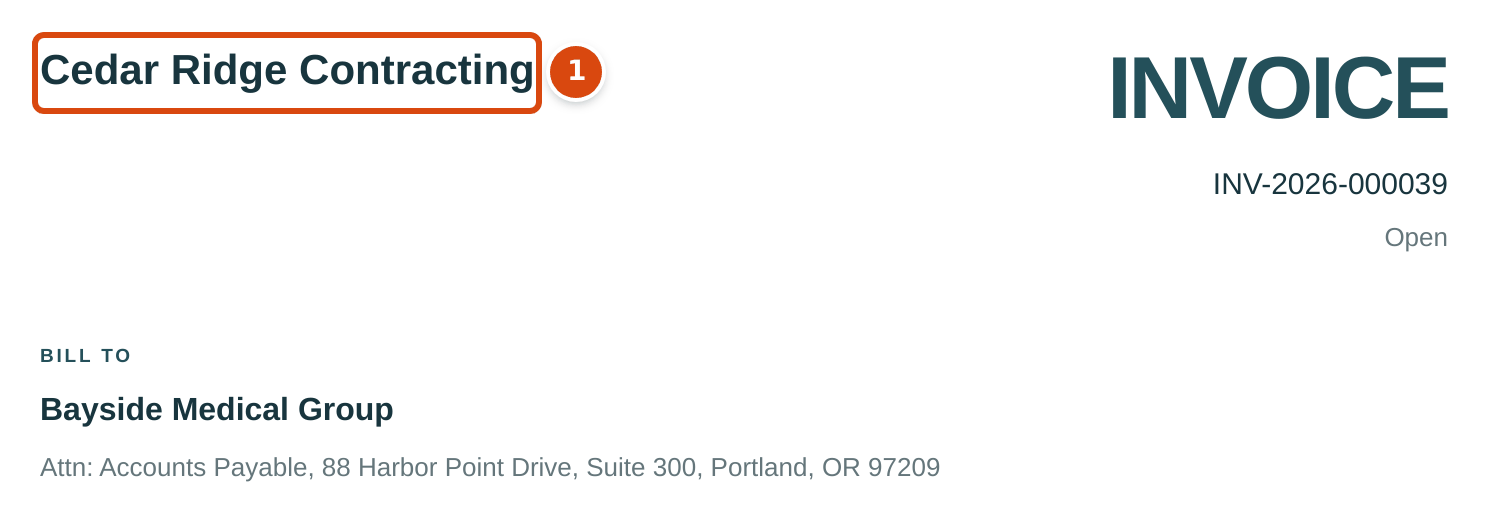
- The company name. With a legal name, address, phone, email and tax ID entered, they print here, under the name.
Worked Example
Suppose Cedar Ridge Contracting enters the details in the form figure above (illustrative; they are not saved in the sample company):
| Field | Entered |
|---|---|
| Legal Name | Cedar Ridge Contracting, LLC |
| Phone | (503) 555-0142 |
| office@cedarridge.example | |
| Address | 1450 Industrial Way / Salem, OR 97301 |
| Tax ID | 93-1234567 |
With the default design (Show Address and Phone and Show Tax ID both on), the top left of every invoice, purchase order and change order then reads:
Cedar Ridge Contracting, LLC
1450 Industrial Way
Salem, OR 97301
(503) 555-0142
office@cedarridge.example
Tax ID: 93-1234567
An invoice emailed through Structally comes from "Cedar Ridge Contracting, LLC via Structally", and the customer's reply goes to office@cedarridge.example.
What Happens After You Save
- The new values are used immediately on every document you print, download or email, including documents created earlier. Nothing is posted and no journal entry is written.
- A changed Date Format or Time Zone applies to everyone in the company from their next page load. Dates already entered on documents do not change.
Common Mistakes and Troubleshooting
| Message or Symptom | Why It Happens | What to Do |
|---|---|---|
| Enter a valid email address. | The Email is not a complete address. | Correct it, for example office@cedarridge.example. |
| Choose a listed time zone. | The time zone sent is not one in the list. | Choose a zone from the list. |
| Address must be at most 1000 characters. | The address is too long. | Shorten it. |
| Documents show the company name, not the legal name. | Legal Name is empty. | Enter the legal name. |
| The address, phone or tax ID does not print. | Show Address and Phone or Show Tax ID is off, or the field is empty. | Turn the option on in Document Design and fill the field. |
| There is no Company Details link in the navigation. | You are not a Company Admin. | Ask a Company Admin; the page names them when you open it. |
Related Topics
- Document Design
- Email Sending
- Books Closed, which uses the company's "today"
- Settings Reference