| Account | Debit | Credit |
|---|---|---|
| 2010 Accounts Payable | 6,000.00 | |
| 5090 Other Job Costs (J-101 · 01-100 · OTH) | 6,000.00 |
G: Correcting Mistakes
Every mistake in this exercise really happened while the training project was entered. None of them is fixed by editing or deleting: in Structally a posted record cannot be changed. You put things right with a void or a reversal, which posts the opposite entry and leaves both on record, and then you enter the transaction correctly if needed. Records that have not posted yet, such as a submitted change order, are taken back instead.
| Correction | Mistake | Remedy |
|---|---|---|
| 1 | A vendor bill entered twice | Void the duplicate |
| 2 | A change order entered twice | Withdraw the duplicate |
| 3 | An entry dated in a closed month | Date it in the open period |
| 4 | An entry posted to the wrong account | Reverse it and enter it again |
Before You Begin
- Exercise F is done: the books are closed through September 30, 2026.
- Reversing and Correcting explains which records can be voided or reversed and what each does.
Correction 1: Void a Bill Entered Twice
In July, Cascade Site Services' invoice CSS-0712 for $6,000.00 was entered twice, as BILL-2026-000001 and BILL-2026-000005 (Exercise C). The bills list shows two identical bills:

Left alone, the duplicate would overstate job cost and accounts payable by $6,000.00, and could be paid twice. Void the later one, which has no payment:
-
Open BILL-2026-000005 and click ⋯ → Void Bill….
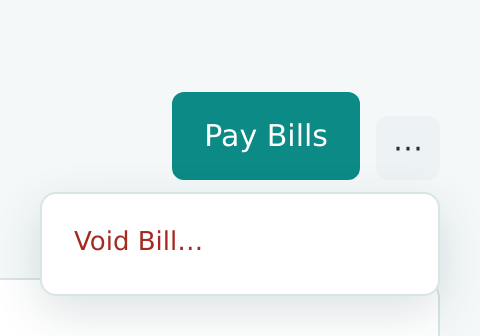
Figure 9-60 Void Bill is in the More Actions menu. -
In the Void drawer, keep Date 07/31/2026, the bill's own date, so the duplicate cost leaves July. Enter a Memo that explains the void.
- Click Void Bill.
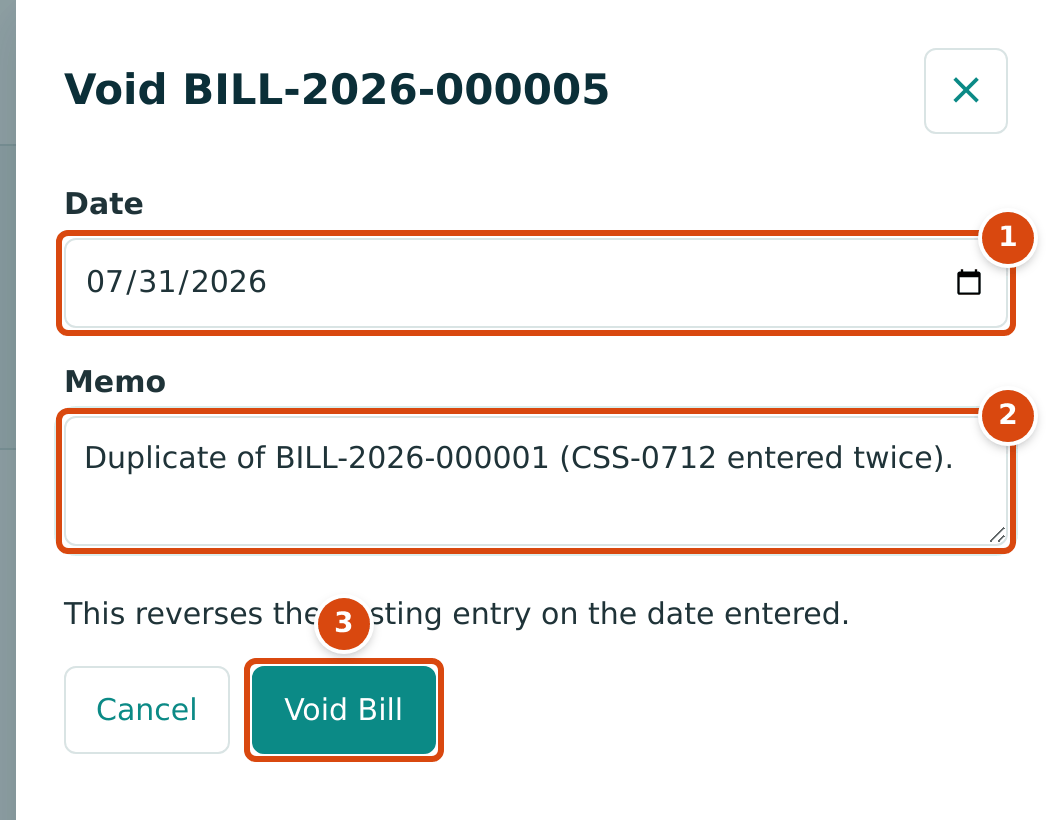
- Date: the date of the reversal. It must be after the Books Closed date.
- Memo: why the bill is voided, kept with the reversal.
- Void Bill posts the reversal.
The bill's status becomes Void, and its page shows both the Posting Entry and the Reversal Entry:
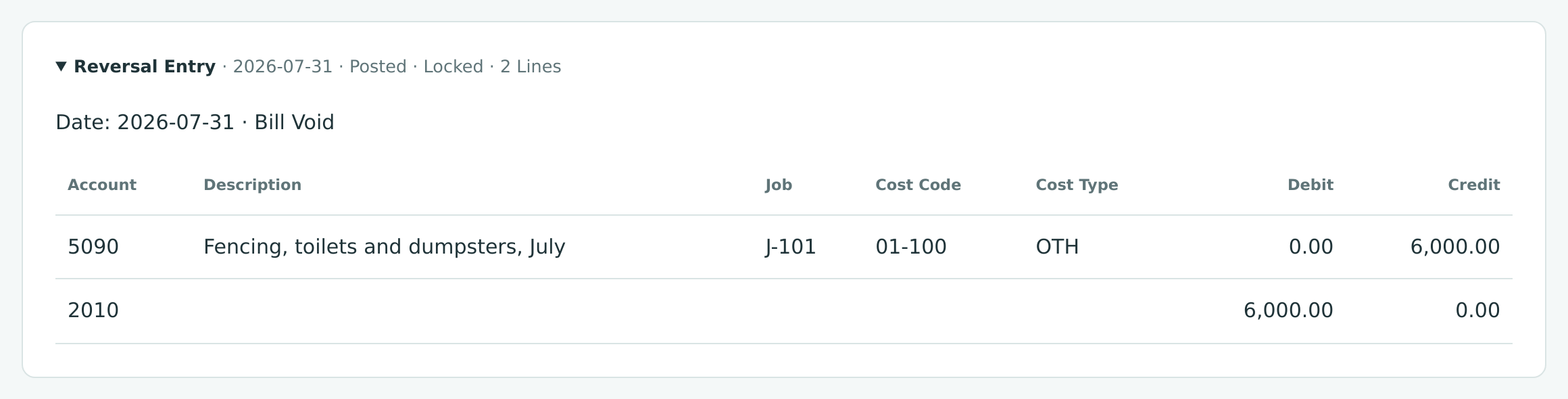
The Void (July 31)
The original entry and its reversal cancel out, so July's job cost and the vendor's balance are as if the duplicate had never been posted, and the audit trail still shows what happened.
The Void Bill Still Shows an Open Balance
After the void, the bill page still shows Open Balance 6,000.00, although nothing is owed: the reversal has already taken the $6,000.00 out of Accounts Payable. Go by the Void status. This is recorded as a product gap.
A bill can be voided only while no payment or credit is applied to it; reverse the payment first. See Posting, Editing and Voiding Bills.
Correction 2: Withdraw a Duplicate Change Order
The exam room change order of Exercise E was also entered twice, as CO-1 and CO-2, and both were submitted. CO-2 was approved; CO-1 still waits for a decision and makes the list look as if another $36,000.00 change were pending:
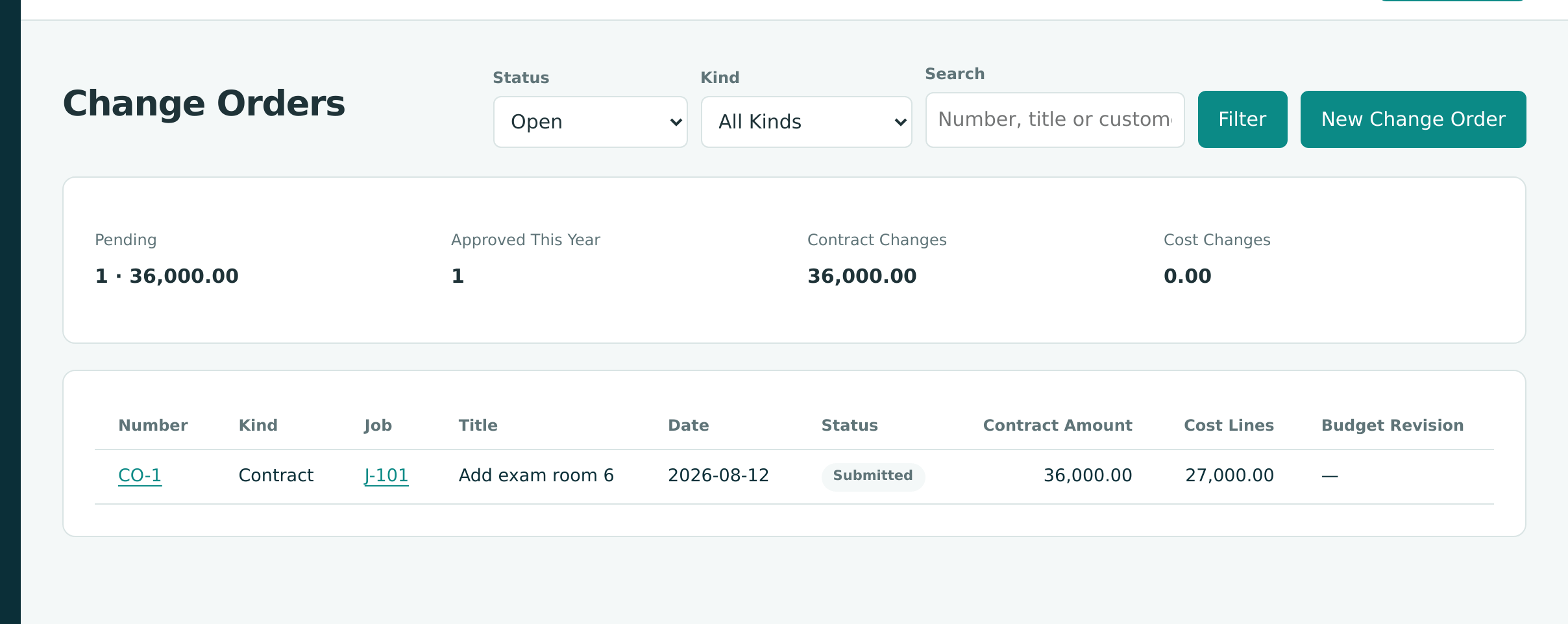
A submitted change order has not changed anything yet, so there is nothing to reverse. Take it back instead:
- Open CO-1 and click Withdraw.
- Confirm with Withdraw.
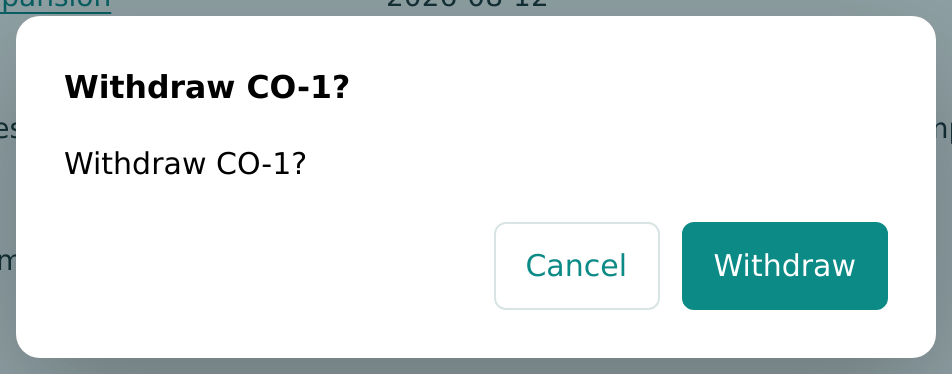
CO-1 becomes Withdrawn. It no longer counts as pending and cannot be submitted again; it stays in the list (under the All status filter) as a record of what was entered. Rejecting it would also stop it, but Reject is for a change the customer turned down, and it records a reason for that decision. See Change Orders.
Correction 3: A Closed Period Refuses Changes
On October 5, the controller pays the builders risk insurance premium, $4,800.00, by check 1009, and enters it as a journal entry. Copying from the policy, they type the policy's date, September 28, and click Post Journal Entry. Structally refuses:
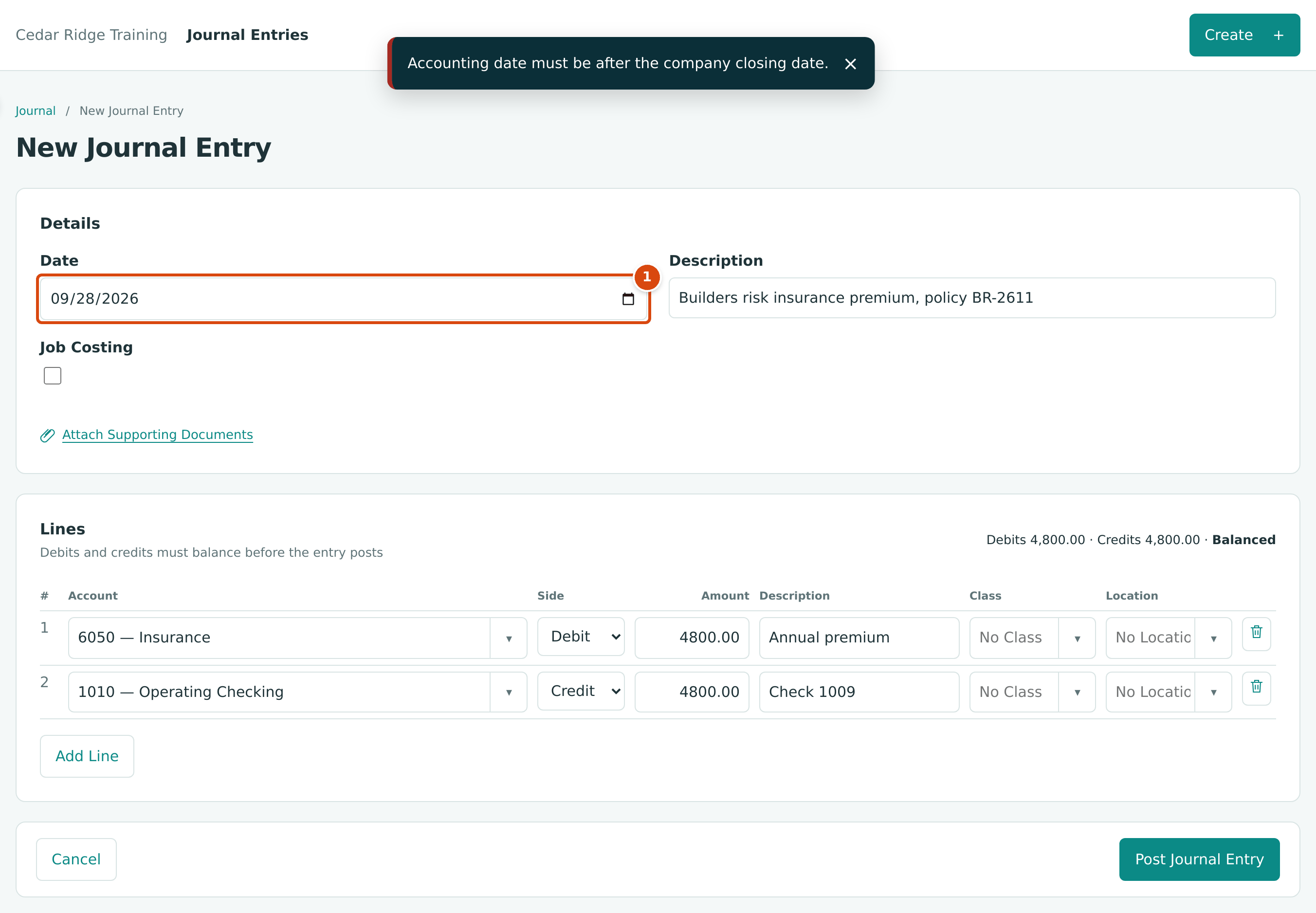
- Date: September 28 is on or before the Books Closed date, September 30.
The books were closed through September 30 in Exercise F, so nothing dated on or before that day can be posted, voided or reversed. That protects the reconciled, reported September figures. Two ways forward:
- The transaction belongs in the open period (as here: the check was written on October 5). Change the Date to 10/05/2026 and post.
- It really belongs in the closed month and the difference matters. A Company Admin can move the Books Closed date back, the entry is posted, and the books are closed again; September's reports then change. Most companies instead record the correction in the current month.
See Books Closed.
Correction 4: Reverse an Entry Posted to the Wrong Account
The premium covers October 2026 to September 2027, so it should be recorded as a prepaid expense and charged to expense month by month. Instead, the entry was posted on October 5 to 6050 — Insurance, putting the whole year's premium into October's expenses.
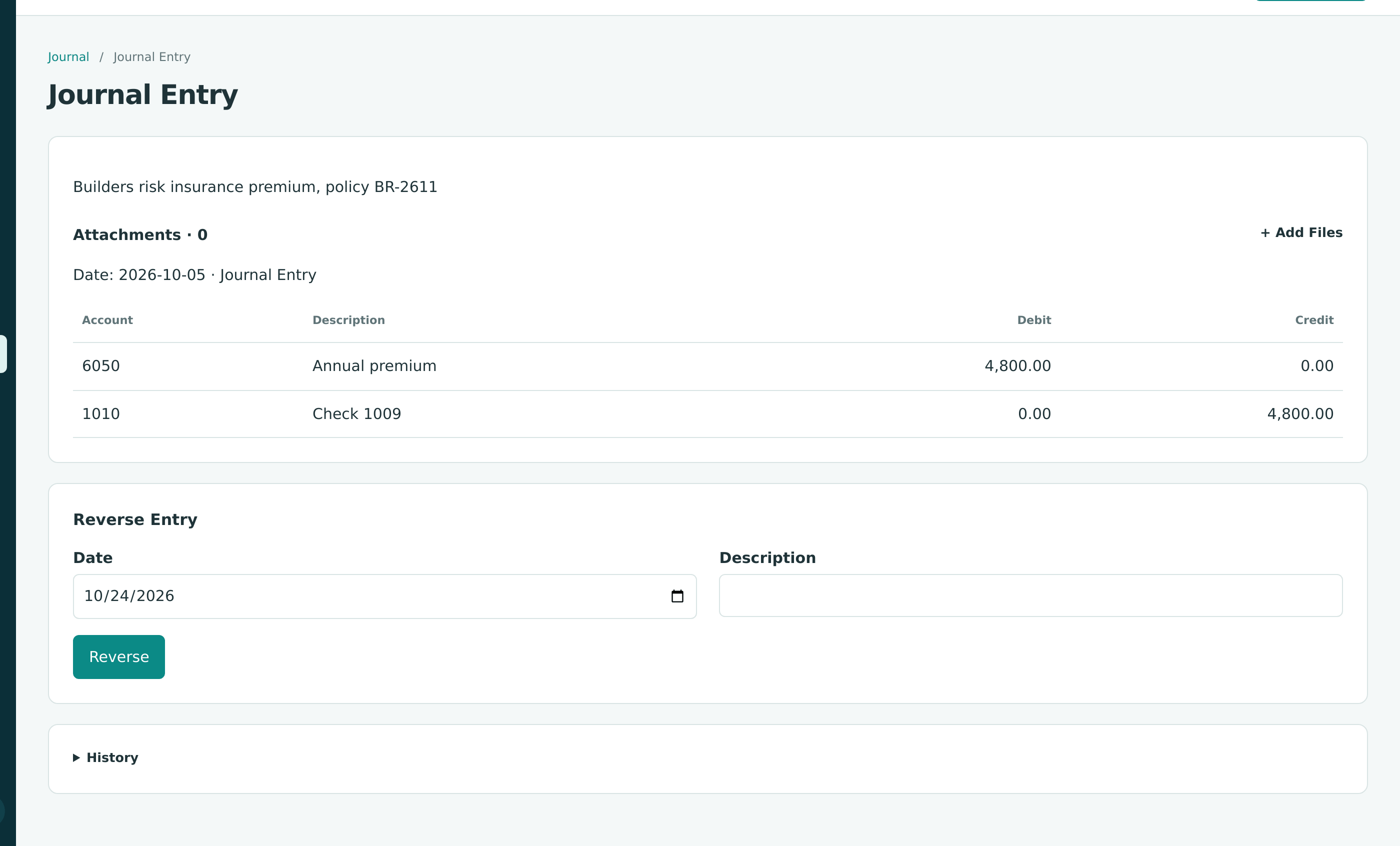
A posted journal entry cannot be edited. Reverse it and enter it again:
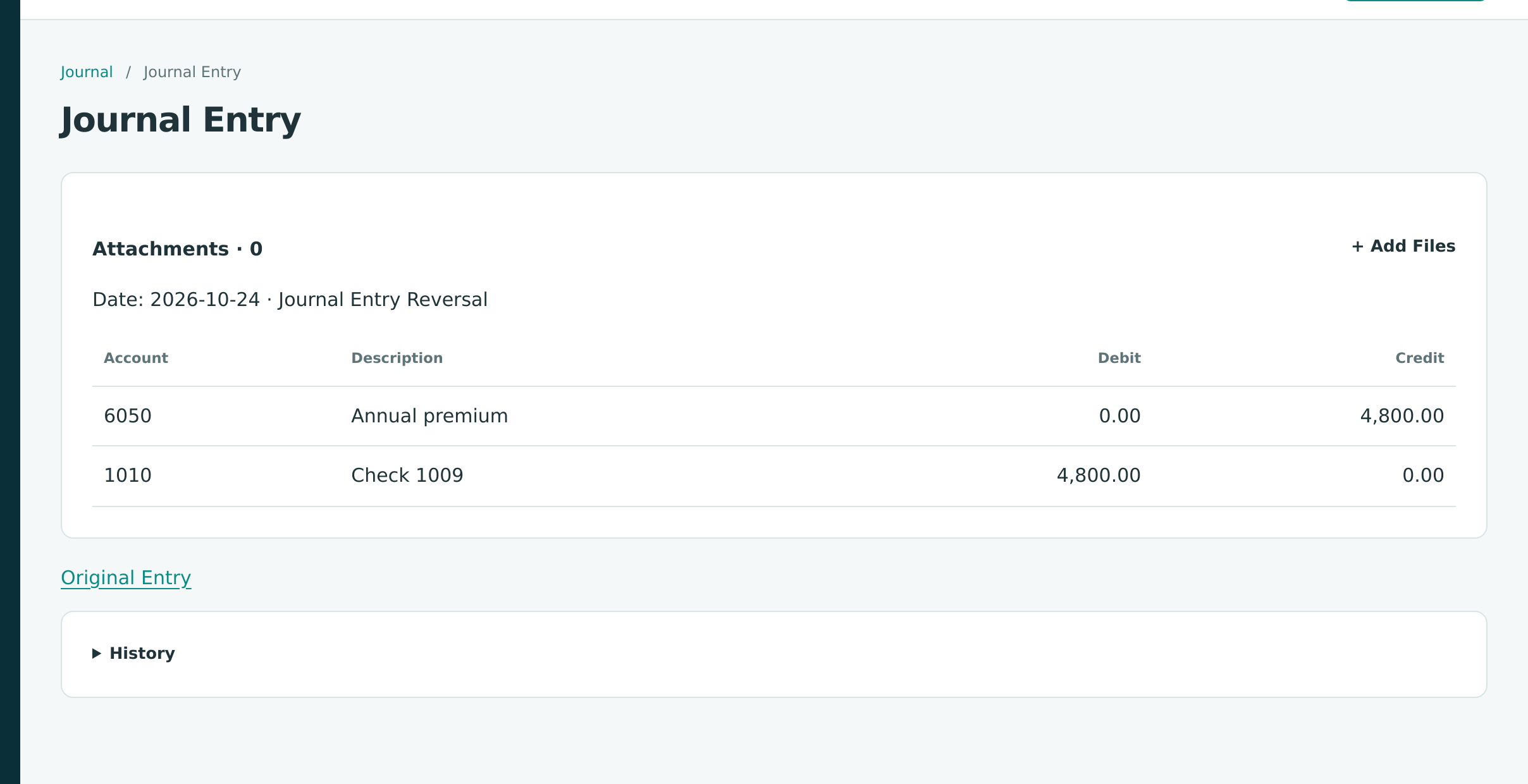
- On the entry's page, in the Reverse Entry card, check the Date, type a Description such as Recorded to Insurance; premium is prepaid, and click Reverse.
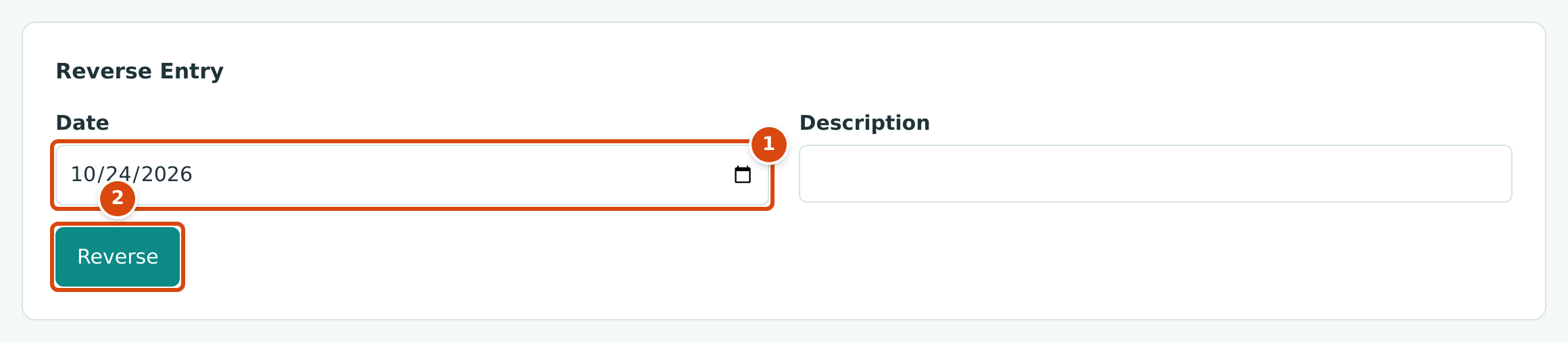
- Date: the reversal's date. It starts with today's date.
- Reverse posts the opposite entry.
In this exercise the date was left at its default, October 24, and no description was typed, so the reversal appears in the journal list without one. Both dates are in October, so October's figures come out the same; for a mistake in an earlier, still open month, date the reversal in that month instead.
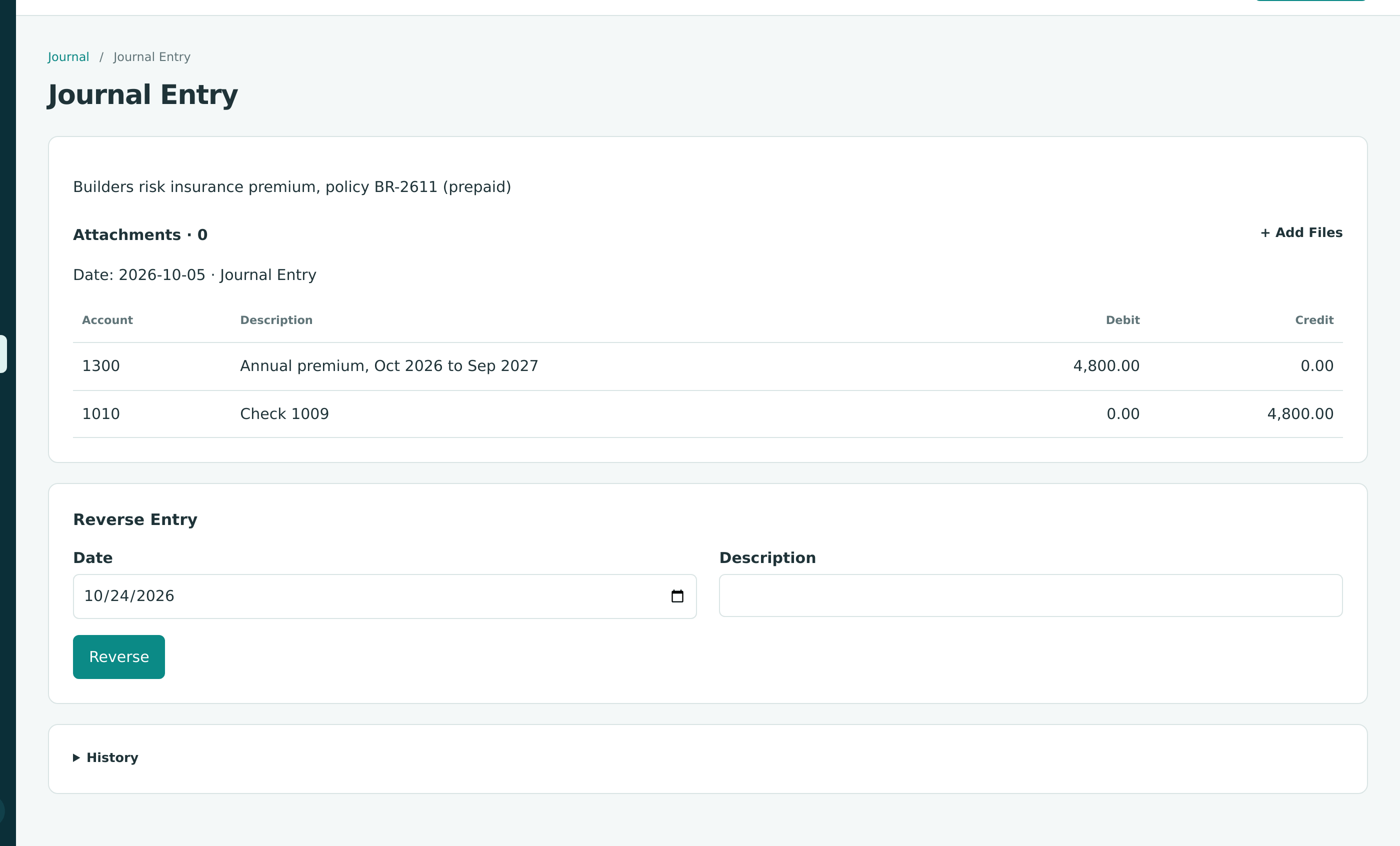
- Click New Journal Entry and enter the premium correctly: Date 10/05/2026, debit 1300 — Prepaid Expenses 4,800.00 and credit 1010 — Operating Checking 4,800.00, with the description ending (prepaid). Click Post Journal Entry.
The Three Entries
| Date | Entry | Account | Debit | Credit |
|---|---|---|---|---|
| 10/05 | Original (wrong) | 6050 Insurance | 4,800.00 | |
| 10/05 | 1010 Operating Checking | 4,800.00 | ||
| 10/24 | Reversal | 1010 Operating Checking | 4,800.00 | |
| 10/24 | 6050 Insurance | 4,800.00 | ||
| 10/05 | Correct | 1300 Prepaid Expenses | 4,800.00 | |
| 10/05 | 1010 Operating Checking | 4,800.00 |
Net effect: 1300 Prepaid Expenses up $4,800.00, cash down $4,800.00 once (the check), and 6050 Insurance back to zero. From then on, a monthly journal entry would move $400.00 from prepaid to insurance expense; the exercise stops before the first one.
The journal list for October shows all three:
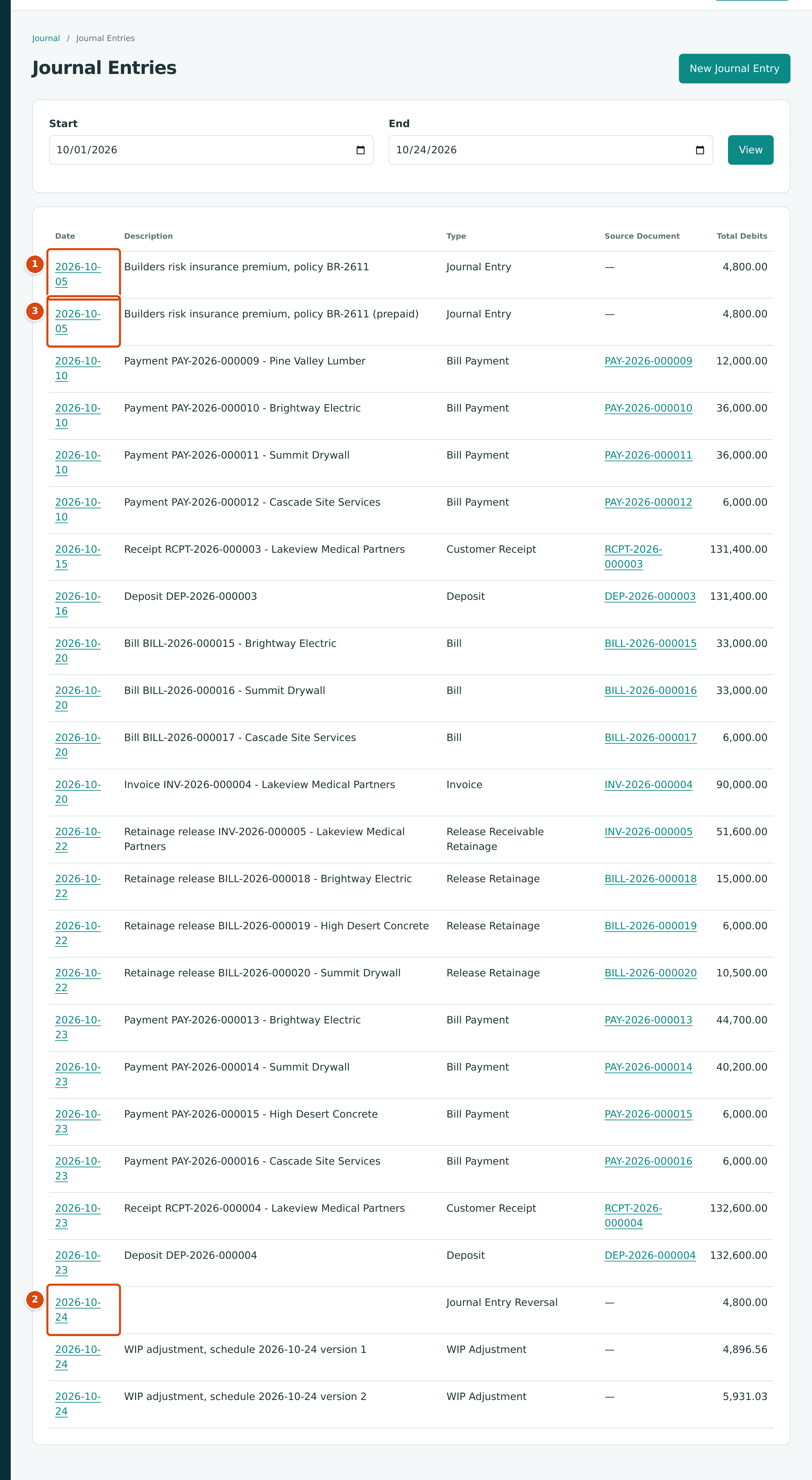
- The original entry to 6050 Insurance, October 5.
- Its reversal, October 24, with no description.
- The correct entry to 1300 Prepaid Expenses, October 5.
See Journal Entries and Reversing and Correcting.
What to Remember
- Posted records are never edited or deleted. Void or reverse, then re-enter.
- Date a void or reversal in the period you want corrected, as long as that period is open.
- Records that have not posted (drafts, submitted change orders, unapproved amendments) are discarded or withdrawn instead.
- Type a memo or description on every correction; it is the explanation your auditor reads.